Often I’m on the lookout for a good piece of software that solves a problem I have. More often than not I’ll find something that solves 60% of the problem, and I’m forced to either use it or come up with my own solution. When you want to move fast, that’s a major speed bump. Can I do it? Sure. But do I want to, when I’ve got a bigger project that’s the exciting one? No.
That’s the part that’s changed with my daily workflow. AI has made it cheap to take the picture, the design, the idea in your head and actually build it, instead of settling for software that doesn’t quite fit the bill. Then you can get on with the bigger project. This was one of those.
Introducing gh-repos-hud. A personal gh extension that shows all of your personal and organization repos and their state. I was drowning in repos. Dozens of personal ones and a couple of organizations. I needed to keep up with PRs, Dependabot notifications, CI status, and so on. On top of that, and really what precipitated this, was a $19.00 charge for GitHub Advanced Security. Apparently I’d enabled it for one of my organizations, promptly forgot about it, and got charged. So I wanted a simple way to see the last commit, CI status, the latest tag, whether there are undeployed changes, Dependabot status, and whether code and secret scanning are enabled. So gh-repos-hud was born.
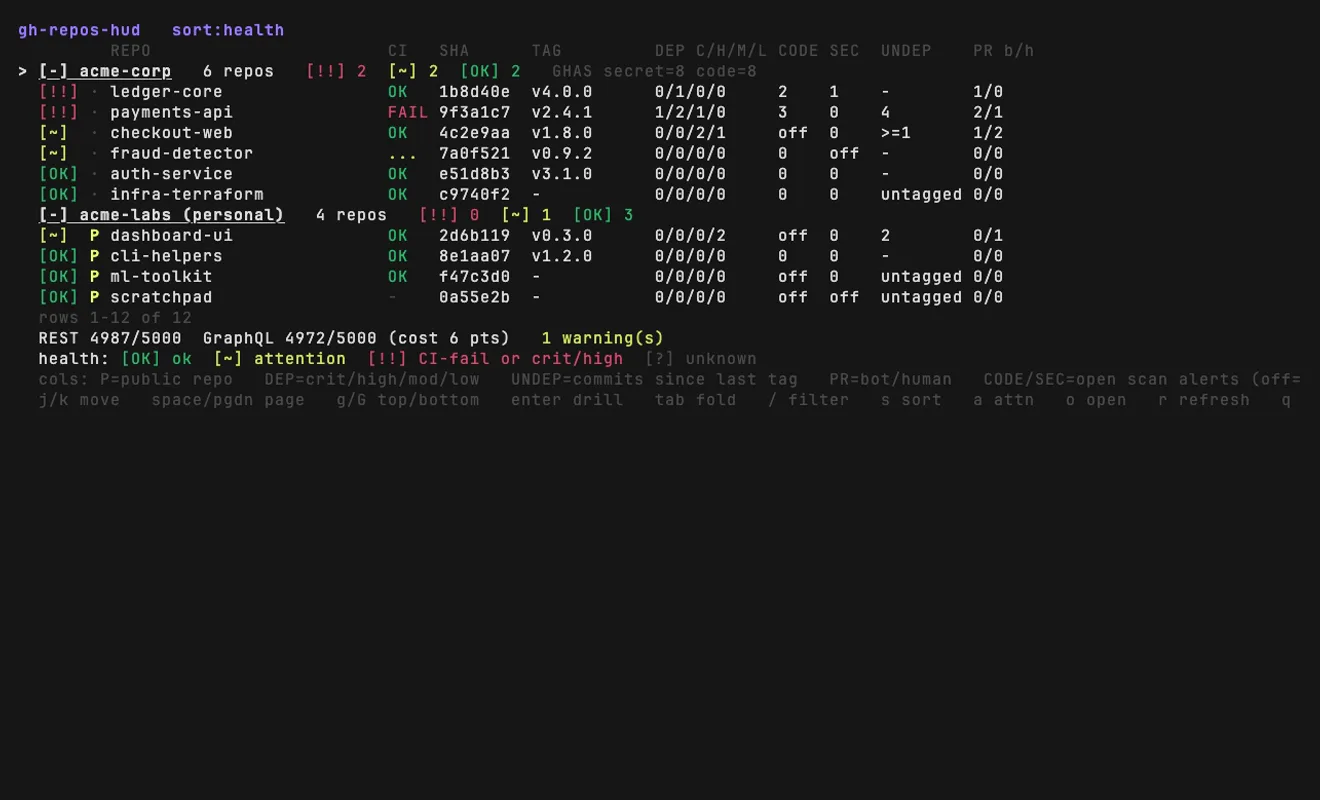
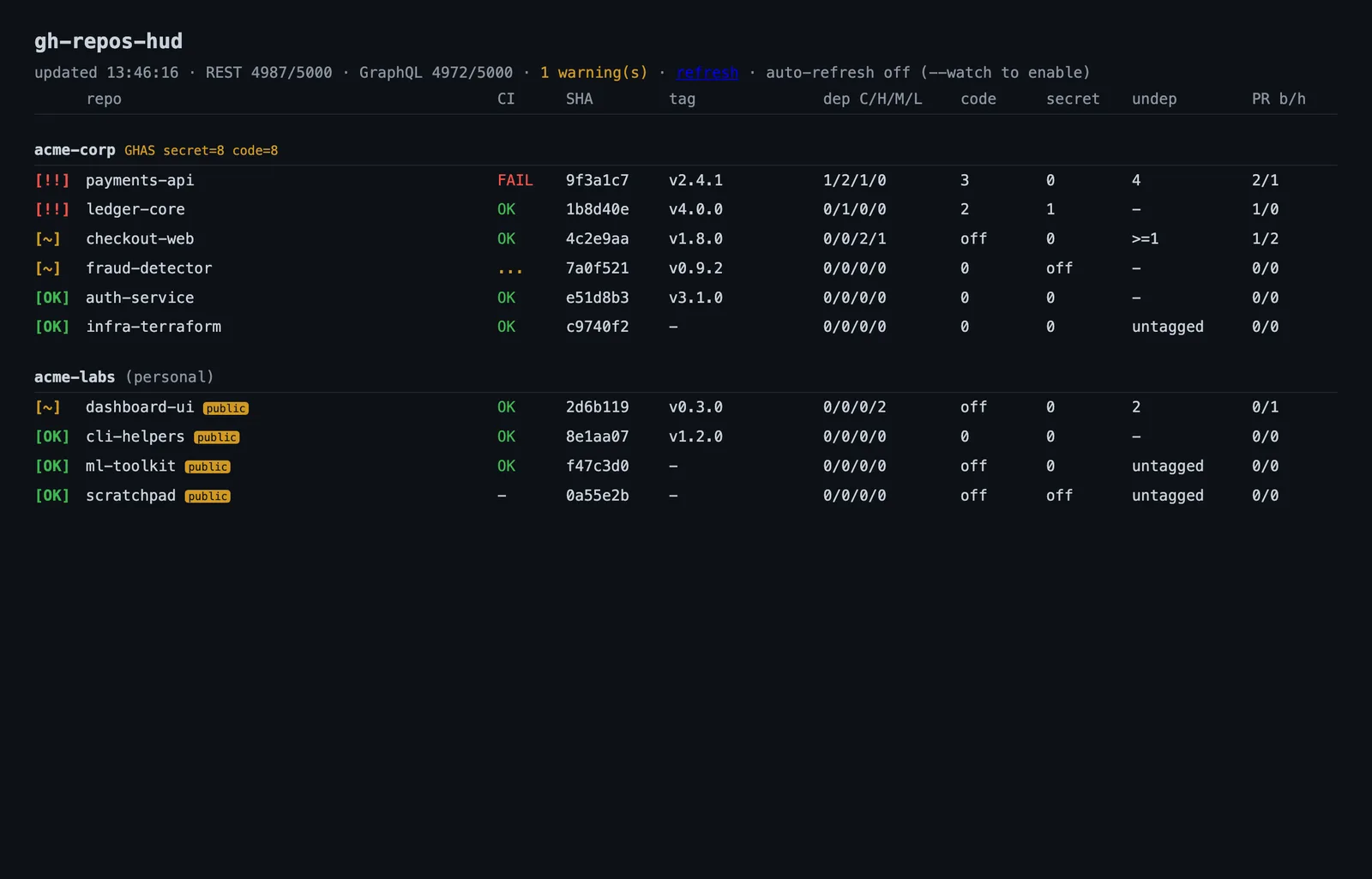
Click either to enlarge.
I’ll be honest: most of the code was written with AI as a pair-programming partner. I drove, though: guiding, auditing, making the calls, reading through the generated code, making suggestions and changing things here and there. I’m not hiding that; it’s just how this got built. And it’s why I can focus on my main project, and not this one, for the next few weeks.
I obviously live in a terminal or IDE most of my day, at work and at home, except when I’m out in the apiary. Having a quick, terminal-based display is really nice for seeing if a repo has issues. I plan on adding more features soon, like open issues, open PRs, etc. If you have an idea, drop me a quick note.
If you want to try it, it’s a one-line install (MIT licensed):
# install
gh extension install chadmayfield/gh-repos-hud

# run
gh repos-hud           # your live repos
gh repos-hud --demo     # demo mode: synthetic data, no setup
I made it for me. Maybe it helps you too.